
Active tab
Reads the page you chose when you open the extension.
CareerGauge for Chrome
Capture the opportunity from the job page you are viewing, save it to CareerGauge, or start analysis without manually copying the posting. Then continue with the same opportunity in CareerGauge.
User initiated. CareerGauge inspects the active page when you open the extension.
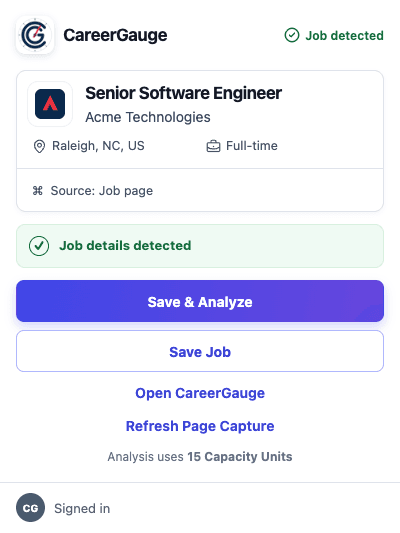
One connected workflow
The extension is the browser capture surface for CareerGauge—not a separate product.
Open a job posting in Chrome.
Invoke the extension on the page you are viewing.
Review the capture, then save it or start analysis.
Manage the same opportunity through its full lifecycle.
The captured opportunity becomes the same CareerGauge record used for its Decision Brief, application documents, contacts, interviews, follow-up, and outcome.
Three useful actions
Preserve the opportunity in CareerGauge without starting analysis.
Save the reviewed capture, then evaluate it against your professional baseline.
Continue in the full opportunity workspace and keep every next step connected.
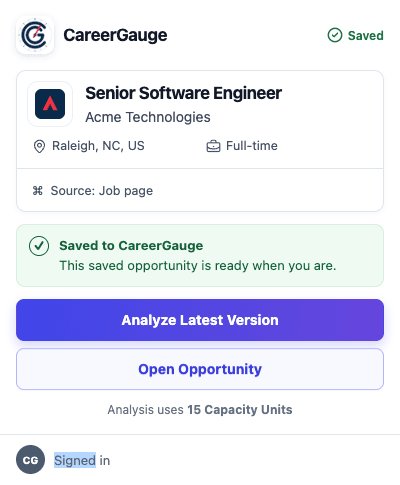
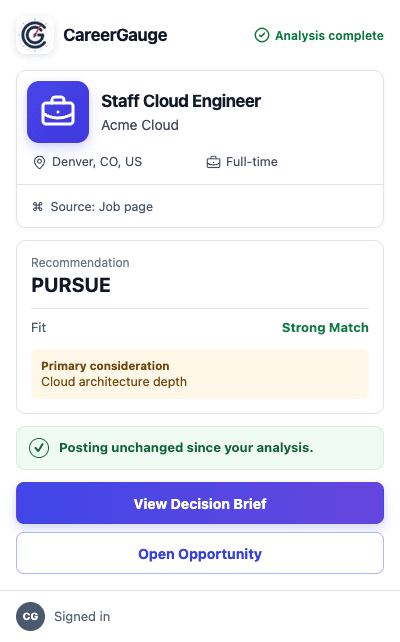
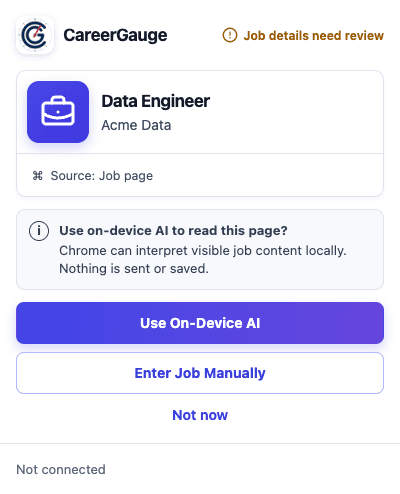
Progressive capture
CareerGauge attempts to capture structured information from the job page. If the page does not expose enough usable information, you can review selected text or paste and edit the job details manually.
CareerGauge works with many structured employer career pages. It does not claim to work automatically on every site, and Chrome-owned or otherwise restricted pages cannot be inspected.
CareerGauge does not continuously monitor your browsing. It uses temporary access to inspect the active page after you invoke the extension. The full reviewed job content is sent to CareerGauge only after an explicit save or analyze action.
Reads the page you chose when you open the extension.
Runs the bounded page collector after that invocation.
Keeps the extension session and a limited local capture cache.
Questions and answers
No. CareerGauge inspects the active page when you open the extension. It does not request browsing-history access or run a persistent content script across the sites you visit.
On an invoked page, the extension reads bounded job-page information such as title, company, location, structured job details, and visible job-description content needed to prepare a capture.
Detection and capture preparation happen locally. A source identity and fingerprint may be checked against CareerGauge after sign-in, but the captured job content is sent only when you explicitly choose Save Job, Save & Analyze, or Save Latest Version.
You can review selected text or enter and paste the job details manually. Chrome-owned and other restricted pages cannot be inspected; open the extension on a regular web job posting instead.
Yes. Save Job creates or updates the opportunity without starting AI analysis. You can analyze the saved version later.
The extension is a CareerGauge capture surface. Saving a job does not use Capacity Units; analysis uses the same CareerGauge allowance shown before analysis begins.
Signing in connects the extension to your CareerGauge account so saved opportunities, versions, and analysis results remain in your workspace.
Some analyses need additional information before they can continue. The extension opens the saved opportunity so you can review the request in CareerGauge.